Product catalog
Characteristics tailored to your product category: the set of fields comes from the catalog structure, not from rewriting the software.
Product information
Product information management: catalog, characteristics, vendor feeds. A managed installation on the Cashew platform — your own database, your own address and sign-in with Cashew ID.
The 30-day trial period starts right after deployment — you don’t need to pay until it ends.
Characteristics tailored to your product category: the set of fields comes from the catalog structure, not from rewriting the software.
Vendor feed intake and matching of supplier offers to catalog items.
Completing the product card and GS1/GPC classification — your products become clear not only to you, but to marketplaces too.
The installation runs at company.knowrianism.org; you sign in with Cashew ID — the same one you use for the cabinet.
01 / 07
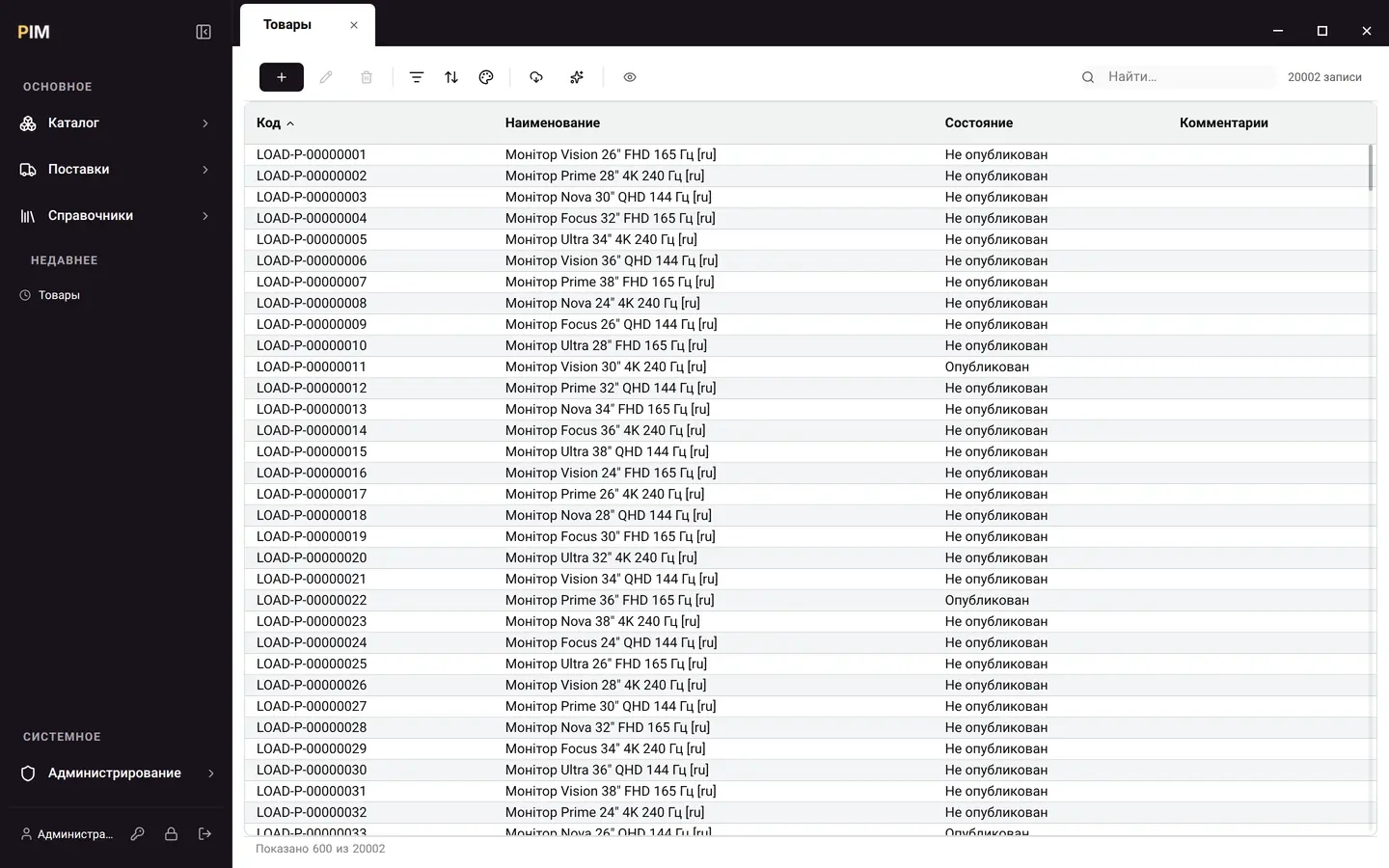
Products, categories, brands, channels—all in one place and under one set of rules. A list of twenty thousand items opens in half a second; you sort it by clicking a column header, search it from the search bar and narrow it with filters. Publication status is visible right in the list: what is already on sale and what is still a draft.
 Enlarge
02 / 07
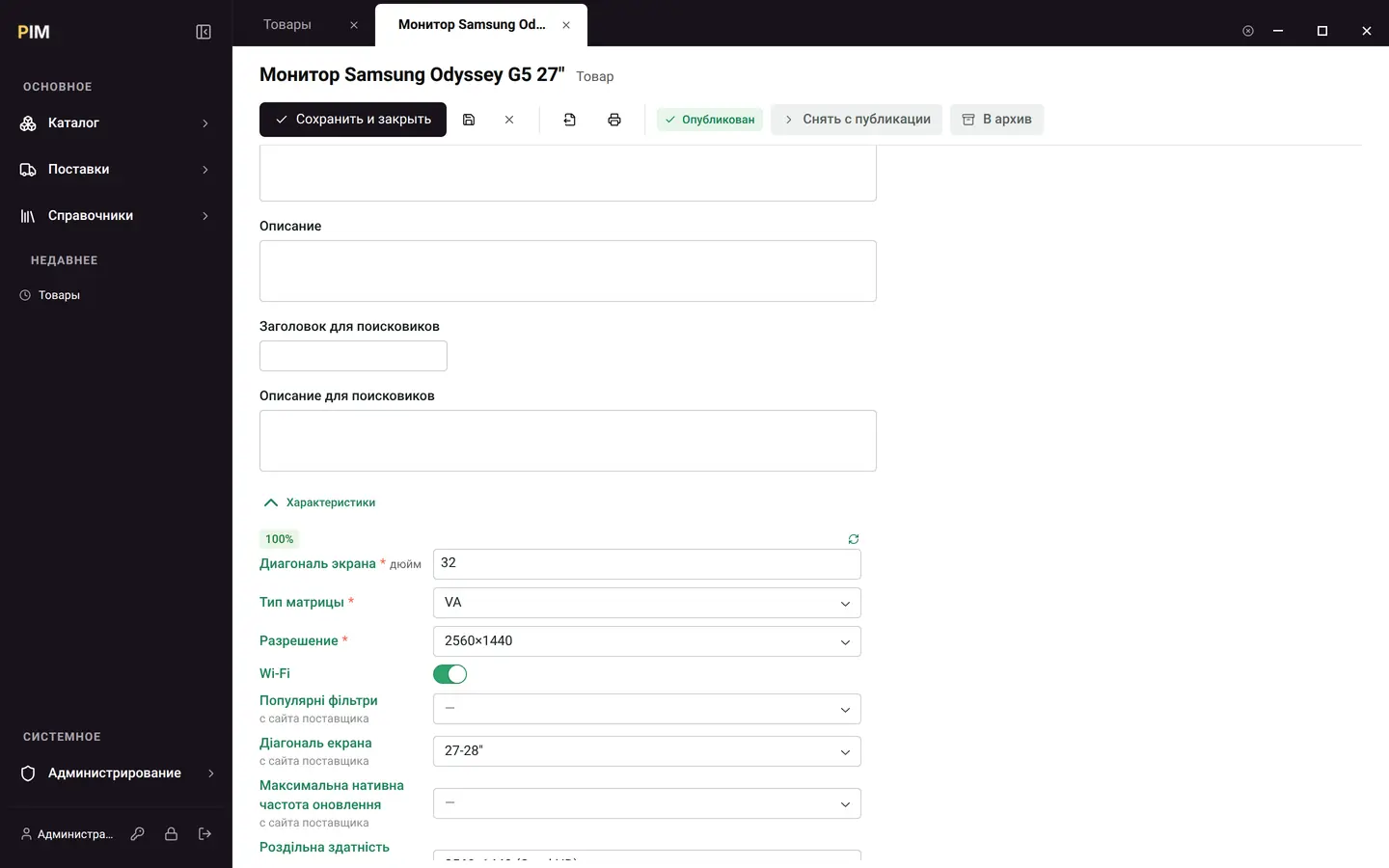
The set of fields a product has is defined by its category. Diagonal in inches, panel type as a pick from a list, Wi-Fi as a toggle—these are data, not columns in the program: a new product group needs neither a release nor a developer. Card completeness is calculated automatically and shown as a percentage.
 Enlarge
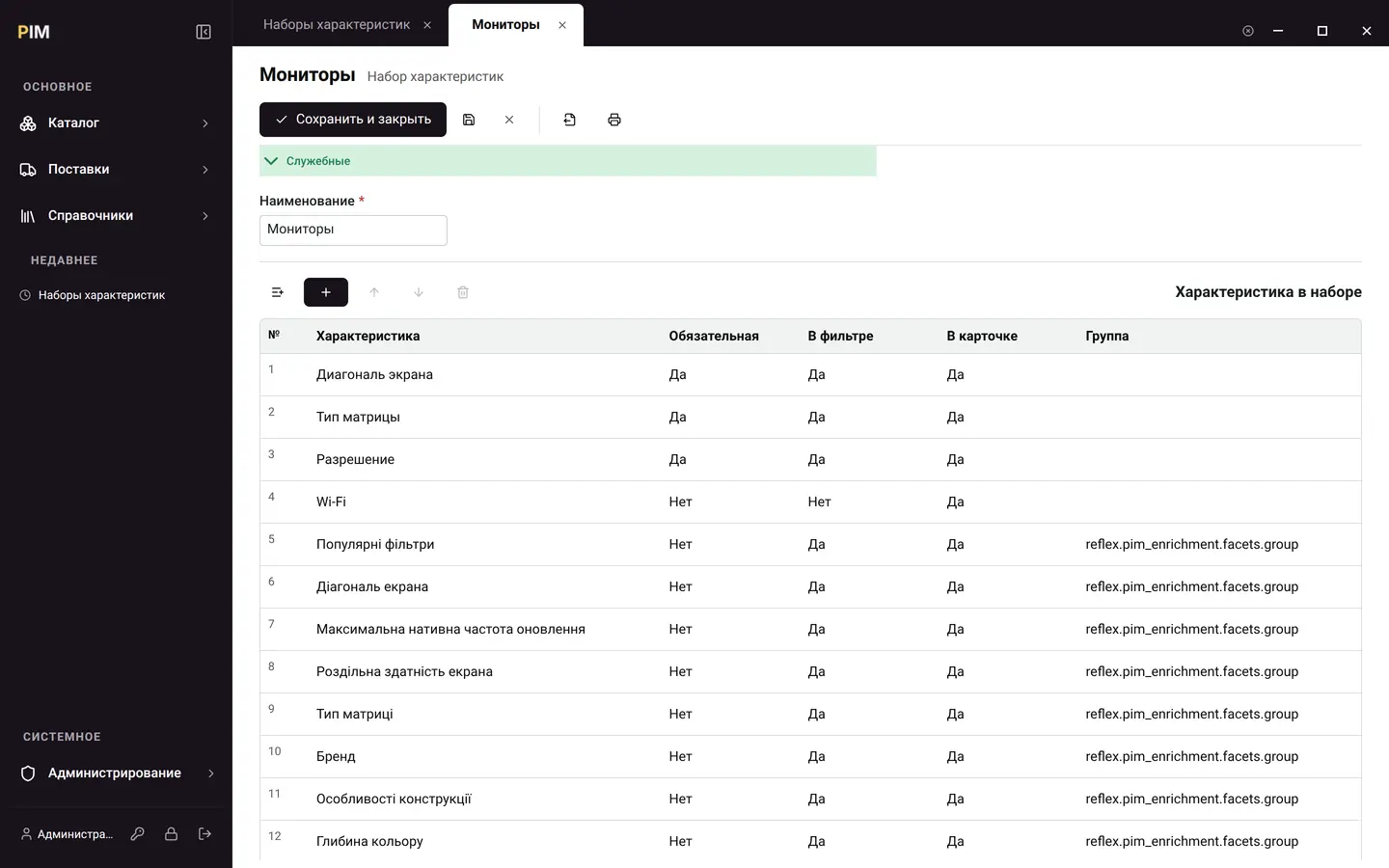
What goes into a set is an ordinary table: what is required, what takes part in the storefront filter, what to show on the card. A set is inherited down the category tree, so anything shared is described once, at the top.
 Enlarge
03 / 07
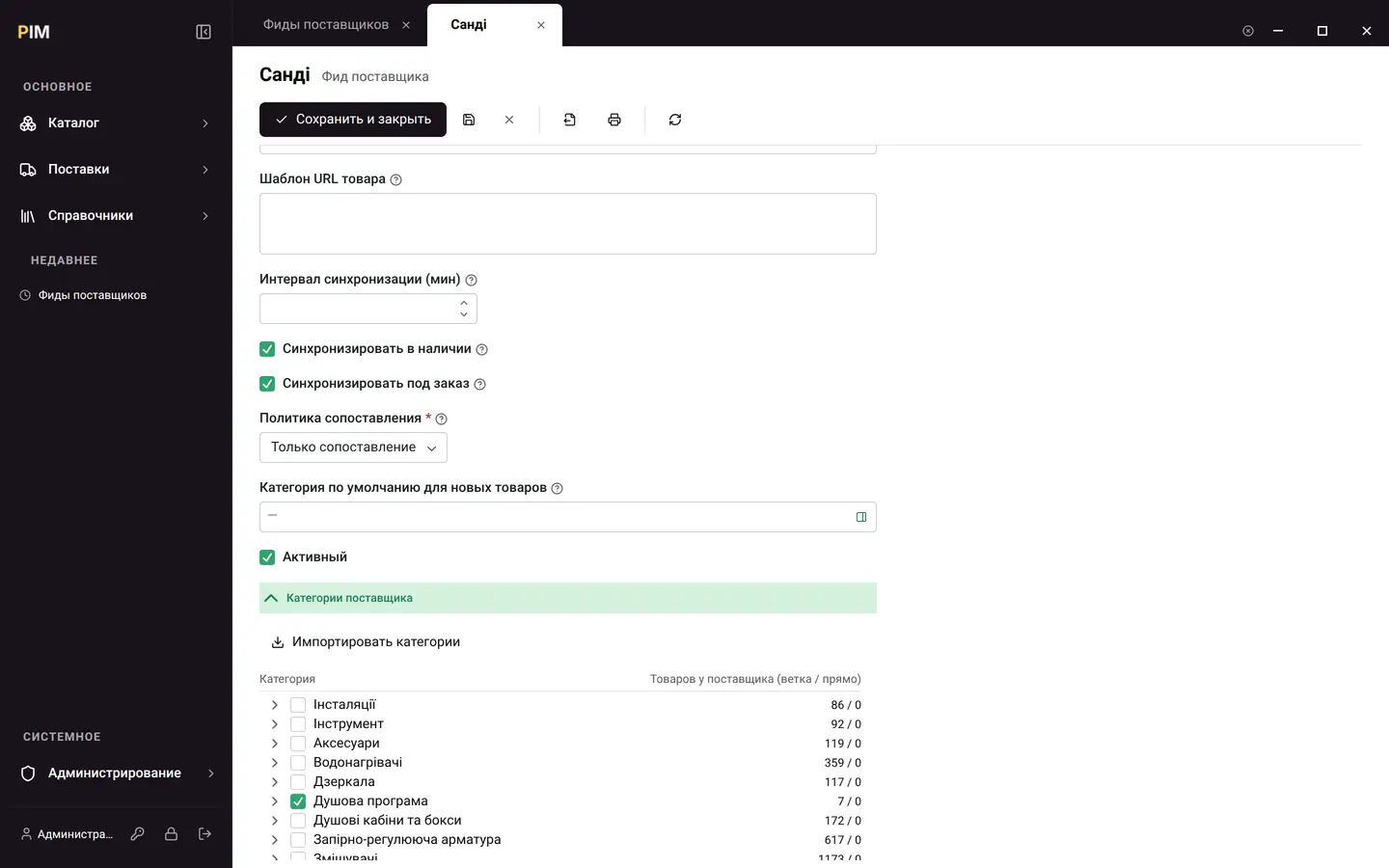
The vendor feed is fetched on a schedule. The supplier’s category tree is loaded in full, with item counts, and you tick what you need: plumbing in, tools out. Offers are matched to the catalog by barcode, allowing for the different ways a barcode can be written.
 Enlarge
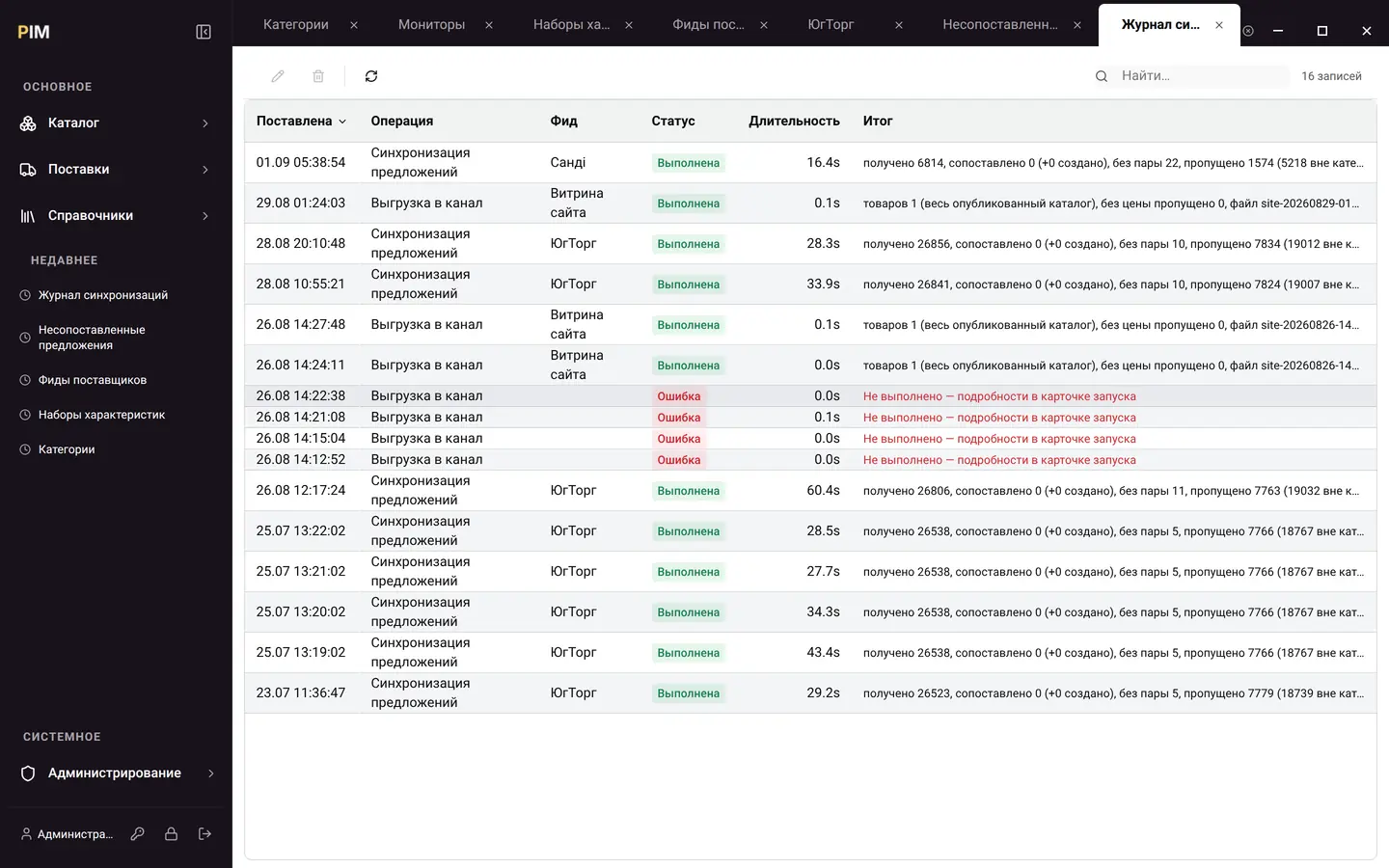
Every run leaves a line in the log: how many received, how many matched, how many left unmatched and why. Not “error” but a sentence you can read.
 Enlarge
04 / 07
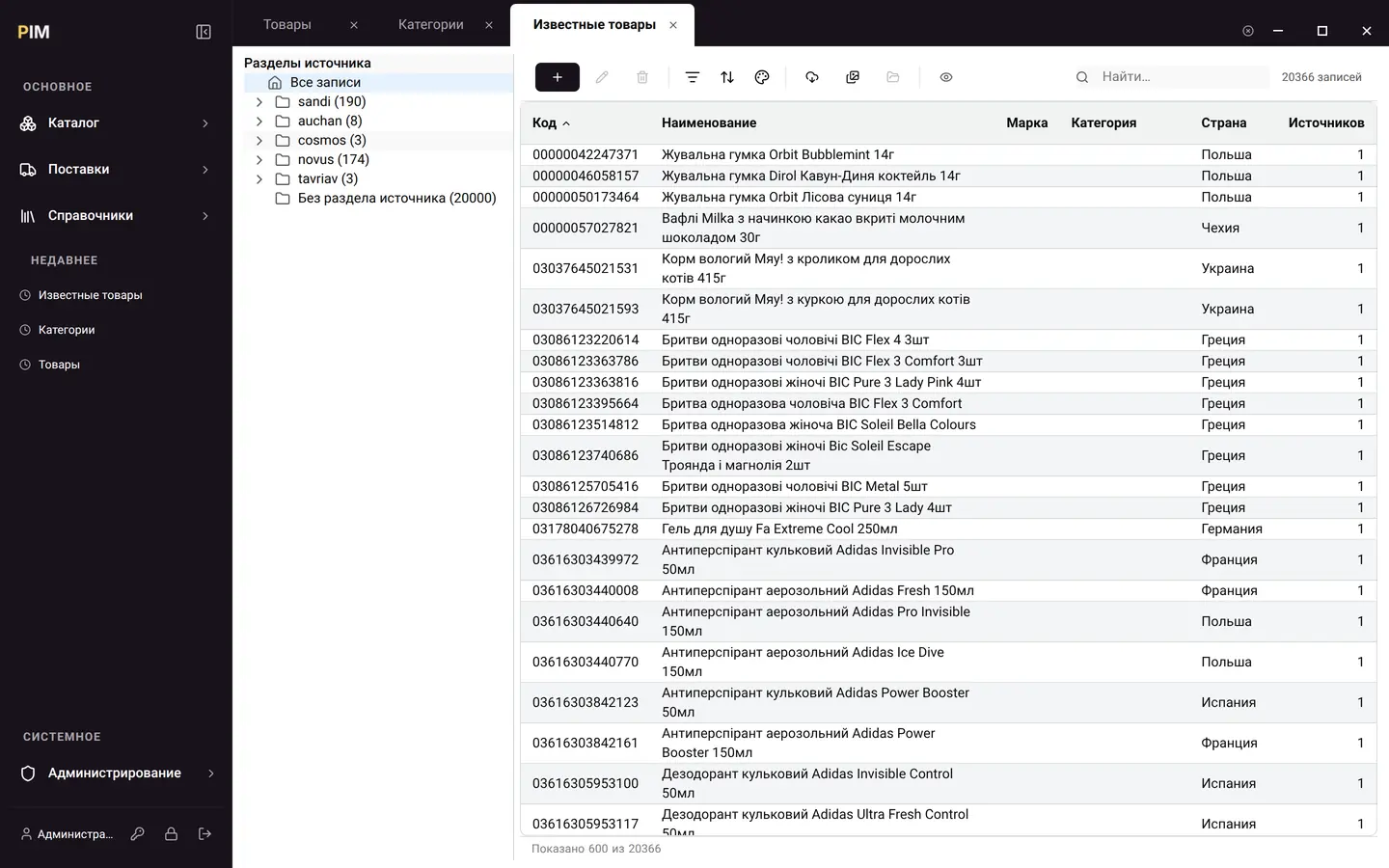
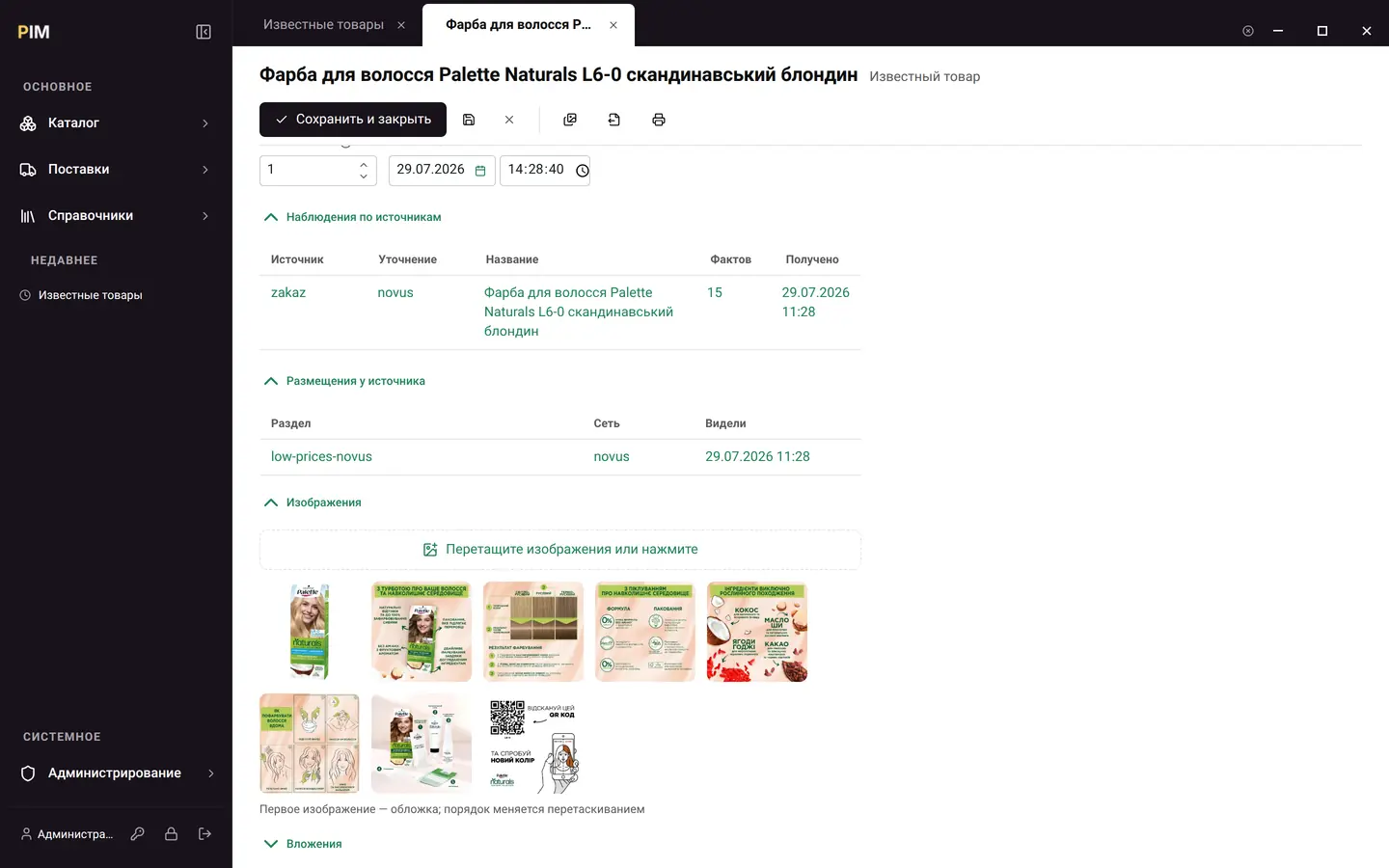
PIM keeps a corpus of known products—whatever is known about a GTIN at all: what it is called, whose brand it is, country, weight, what it looks like and where it has been seen. Your own product card is filled in from its barcode: name, brand, photos.
 Enlarge
Photos are stored as your own copies, not as links to someone else’s site: someone else’s picture disappears along with someone else’s sale.
 Enlarge
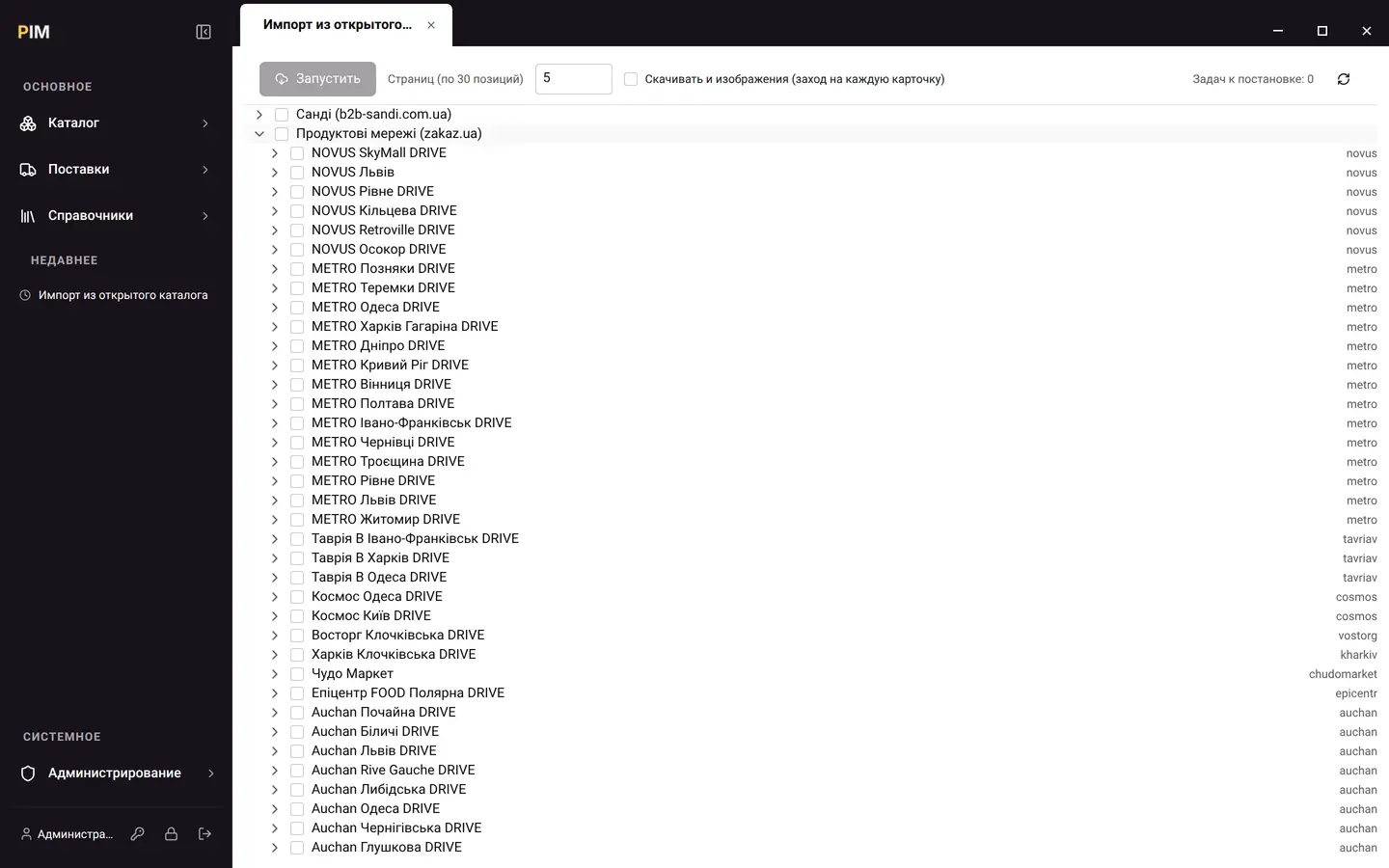
Sources are connected as a tree and selected with checkboxes—take one section of one retail chain or a supplier’s entire catalog.
 Enlarge
05 / 07
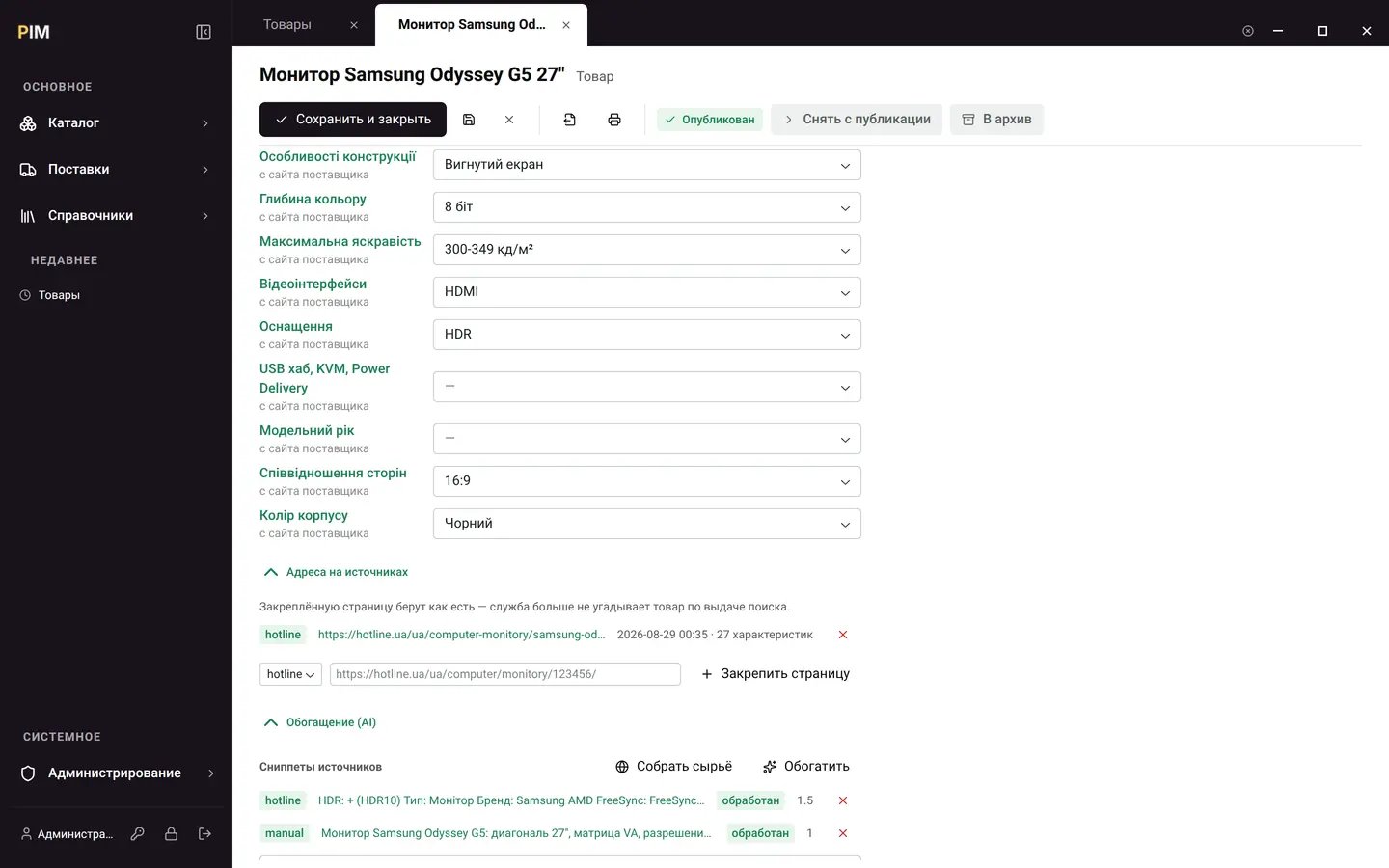
A product’s address on a marketplace is pinned once: the system isn’t made to guess the product from search results. From there the scraping service fetches the page, and a language model parses its text—not retelling it, but determining values against your category’s reference list. Where the description says “Роздільна здатність, точок: 2560x1440” (resolution, pixels), the card gets the option “2560x1440 (Quad HD)”; “Діагональ екрану, дюймів: 27” (screen diagonal, inches) ends up in the option “27-28"”, because the model sees not only the text but also which values this characteristic is measured in to begin with.
 Enlarge
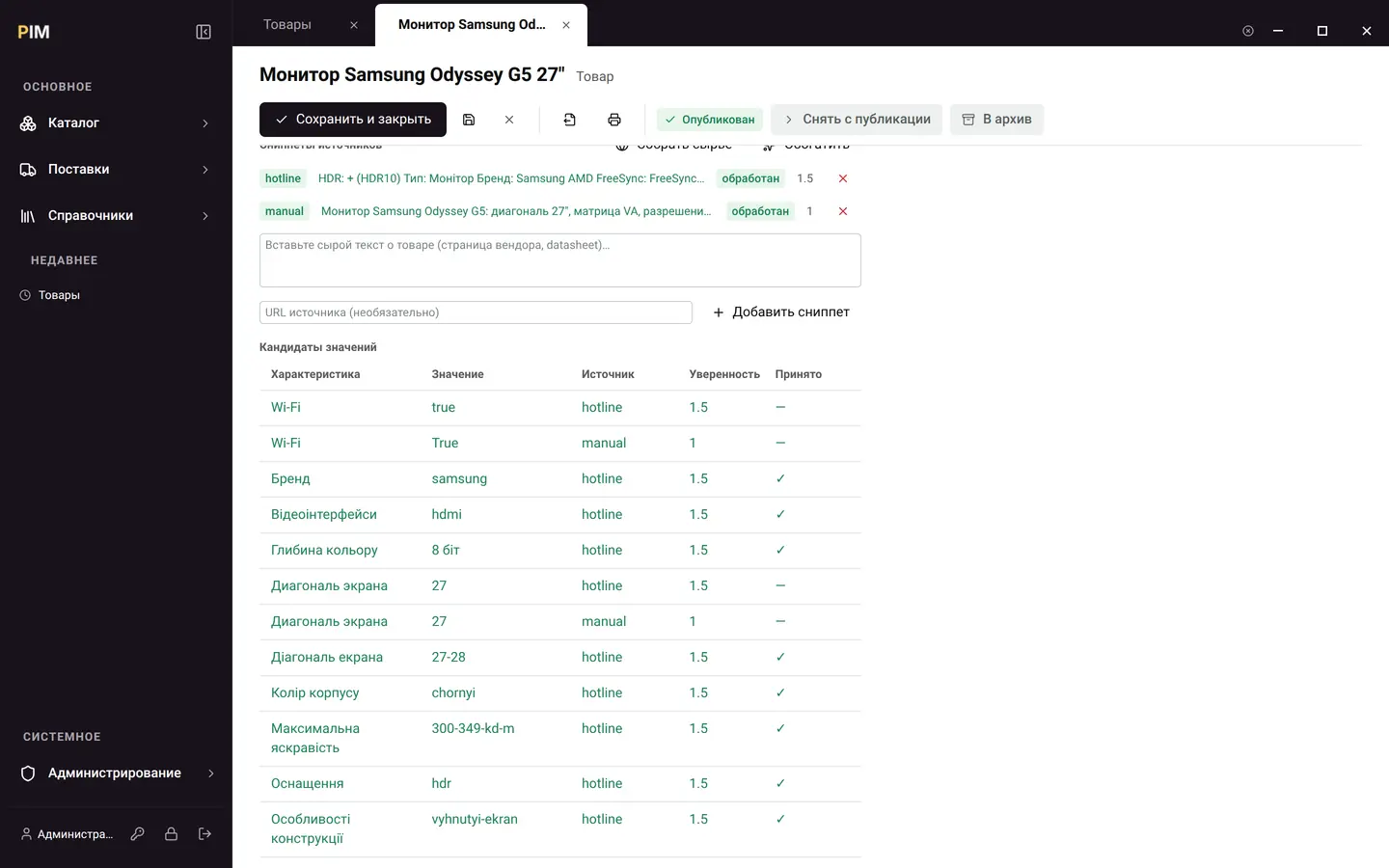
Measured on a real monitor: one source page—17 values determined, 11 of them written to the card right away, four fields out of nineteen left empty. The model’s work is visible line by line: characteristic, value, source, trust weight, written-to-card flag.
Several sources are reconciled by trust weight—two sources in agreement outweigh a single opinion. The machine doesn’t overwrite a merchandiser’s edit: what a person corrected stays, and the disagreement with the source is visible in the run summary. A value that isn’t in the characteristic’s reference list is named in the summary too—it doesn’t disappear silently. Model keys live in a shared service, not in the installation’s database.
 Enlarge
06 / 07
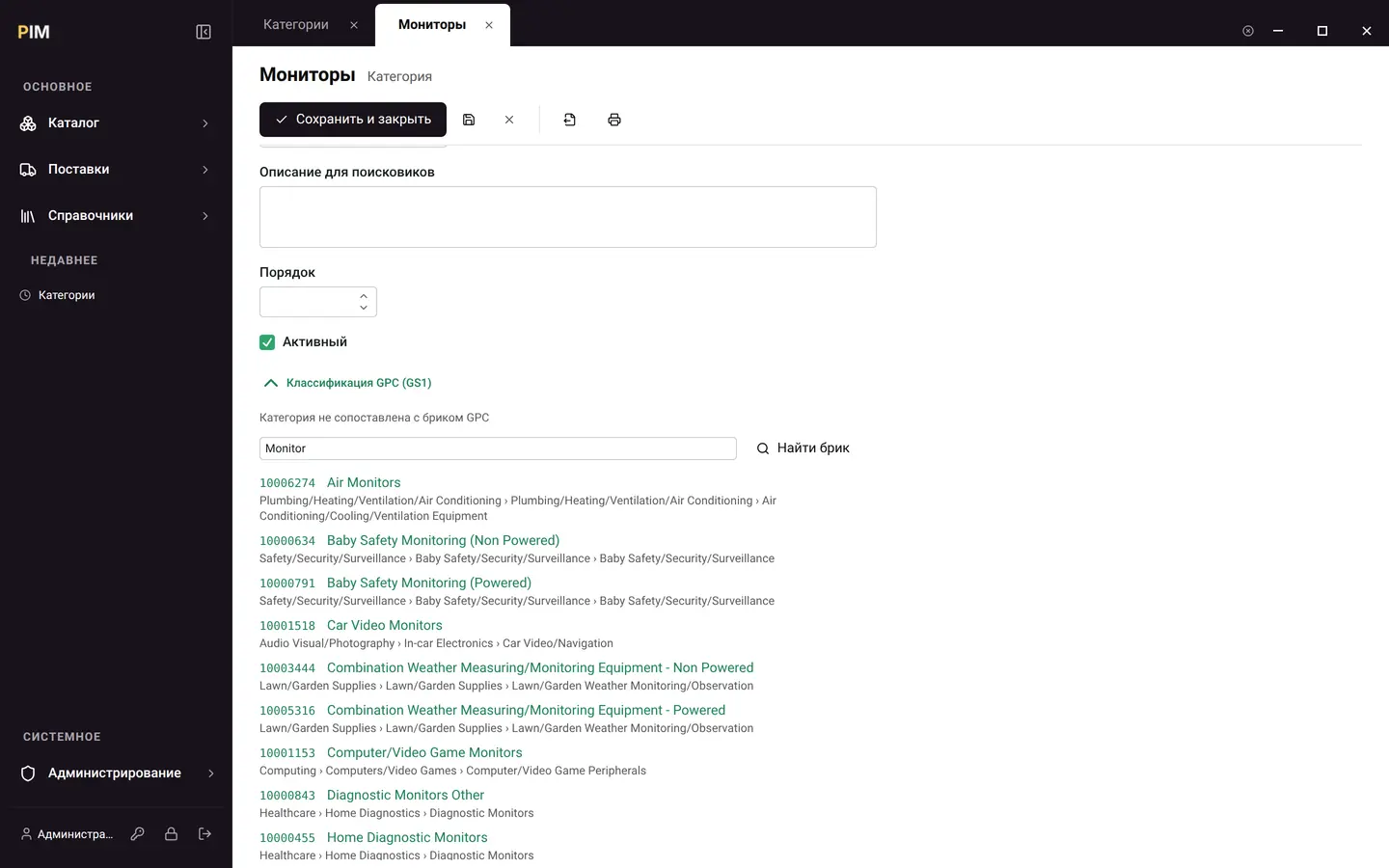
Inside is the complete GS1 GPC classification: 45 segments, 162 families, 938 classes, 5,318 bricks, 10,188 attributes and 184,323 values (release 2026-05). A category is mapped to a brick by searching by name, and the product ends up described in a language that marketplaces and retail chains understand.
 Enlarge
07 / 07
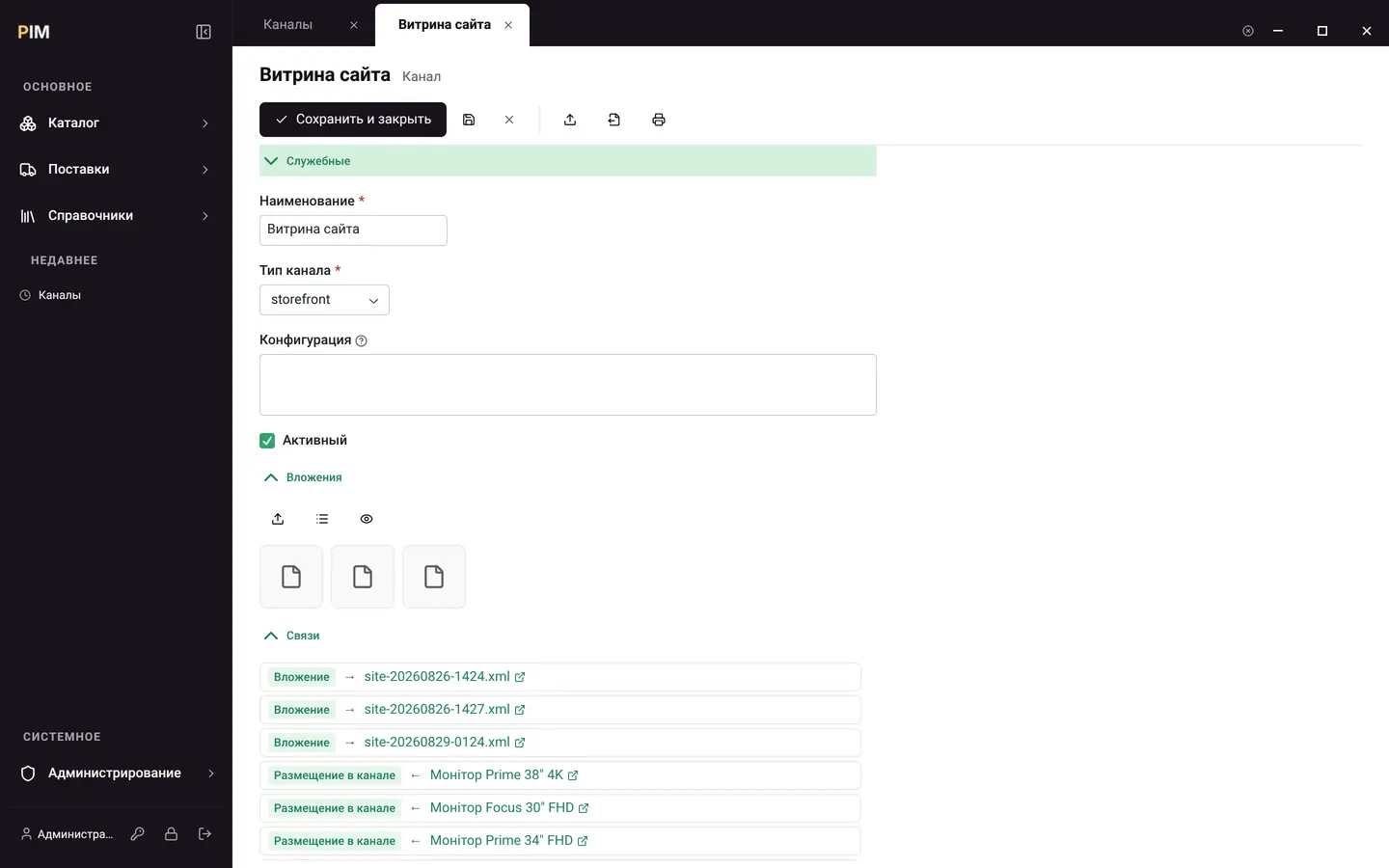
A channel is a storefront, a marketplace or a price comparison site. An export gathers the channel’s published products into a file: the full card with description, characteristics, photos and codes—or yml_catalog for platforms that need a price. A product without a price doesn’t drop out silently—it goes into the skipped counter.
 Enlarge
A new product group doesn’t cost a release. Characteristics are entries in a reference list, not fields in the program. You set up a “Faucets” category, put together a set of twelve properties, start filling it in.
Nothing half-finished goes on sale. A product without a photo or with required characteristics left empty is not published, and a published product that is out of stock waits to be released to the storefront until it is back in stock (this rule is switched on by a setting). The system tells you plainly what is missing.
AI fills in the card instead of making suggestions. The model receives the category’s characteristic reference list and answers with its values—so the result lands in fields, not in a note someone will later sort out by hand. Every value is labeled with its source and trust weight, a merchandiser’s edit beats the machine, and whatever didn’t fit the reference list is named in the run summary.
Third-party data doesn’t turn into junk. A supplier offer that has nothing to match against sits in a separate list waiting for a decision instead of creating a ghost product.
Volume is tested, not promised. The test environment these screens were taken on holds 20,002 products, 20,366 corpus records and 20,030 unlinked offers. Lists there respond in fractions of a second.
Three languages, including the data itself. The interface is in Ukrainian, Russian and English; not only the program’s labels are translated, but also the names of the records the company maintains.
Measured on a production build with a local test environment: a list of 20,002 items, 0.5 s; search, 0.2 s; a product card with all panels, 1.4 s. Over the internet, add network time.
Sign-up. One Cashew ID account for all products.
Your own address. The company gets the subdomain company.knowrianism.org.
Deployment. The product is deployed on our platform in minutes, and the trial period starts right away. The installation already contains shared reference lists—units of measure, countries, item types and interface translations: no import from another system is needed to get started.
Payment. Price and currency are in the cabinet: they depend on the company’s country.
We deliberately don’t repeat the price here: it is calculated by the company’s country, and a static figure on the website would one day diverge from the one a person sees on the invoice.